How It Works
Three steps to an organised media library.
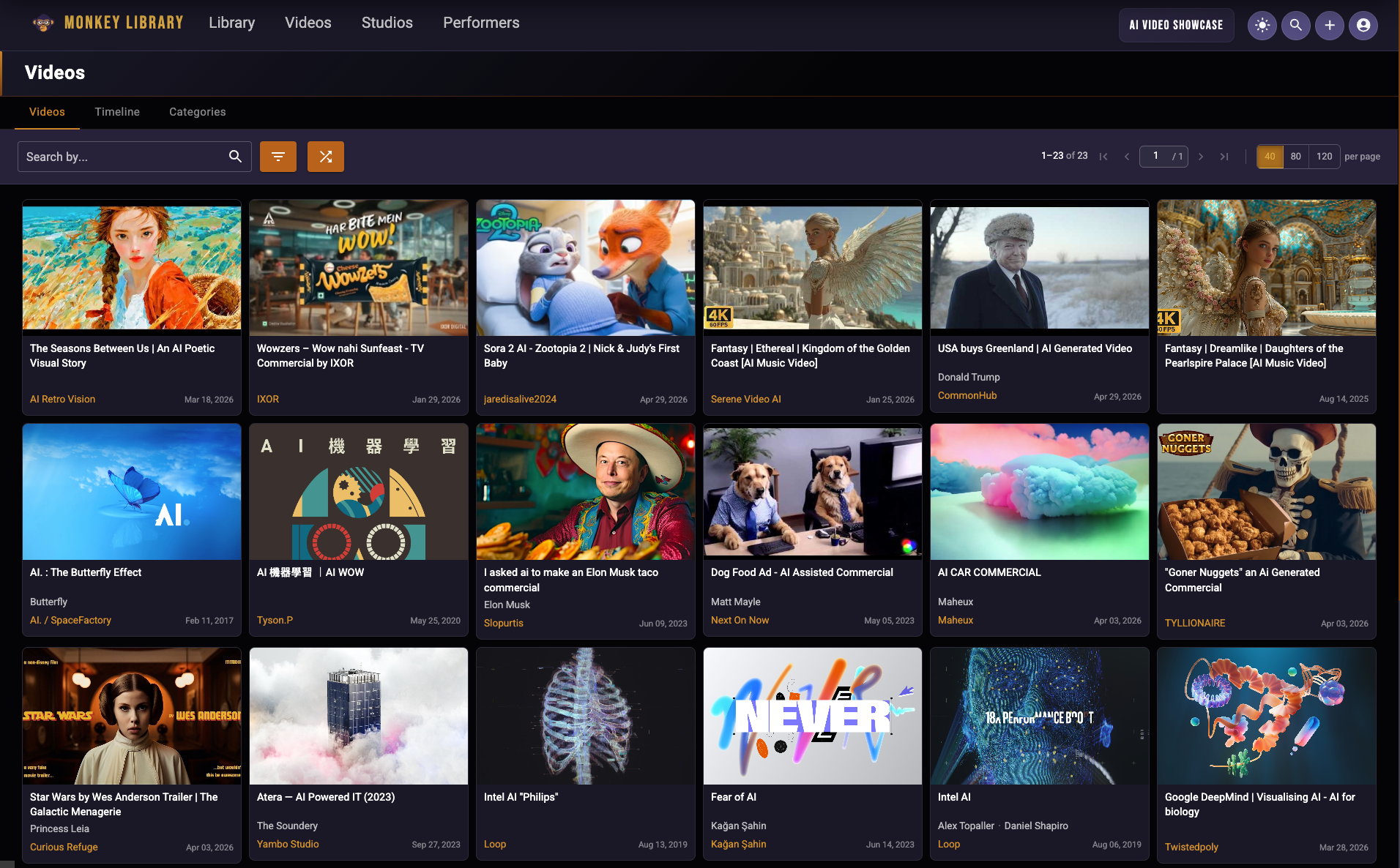
Effortlessly access and navigate your entire media library with a sleek, user-friendly interface, offering smooth browsing, quick organization, and intuitive controls for seamless content management.
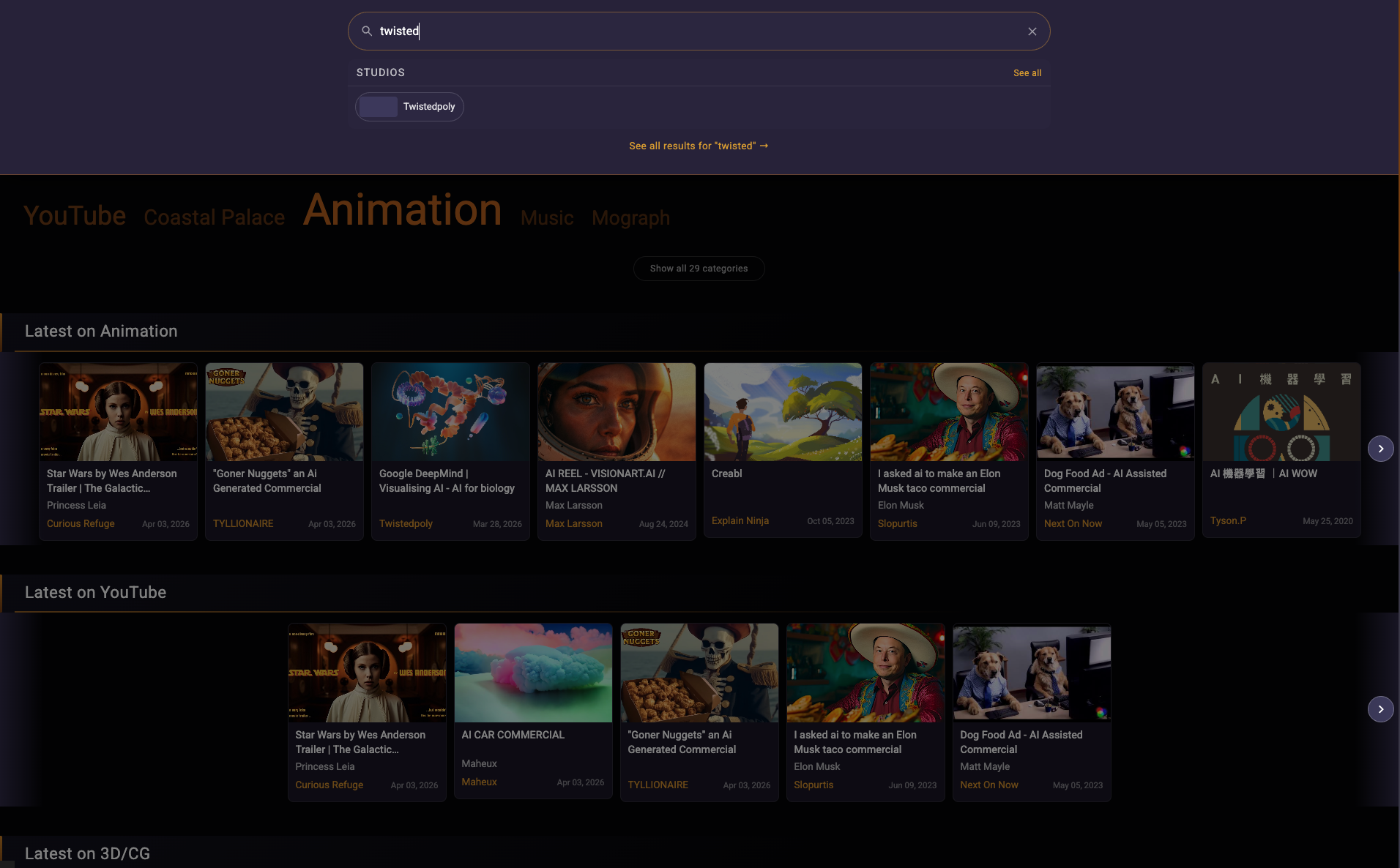
Quickly locate what you need using advanced search filters. Search by keyword, date, resolution, tags, or metadata. Find exactly what you need in seconds.
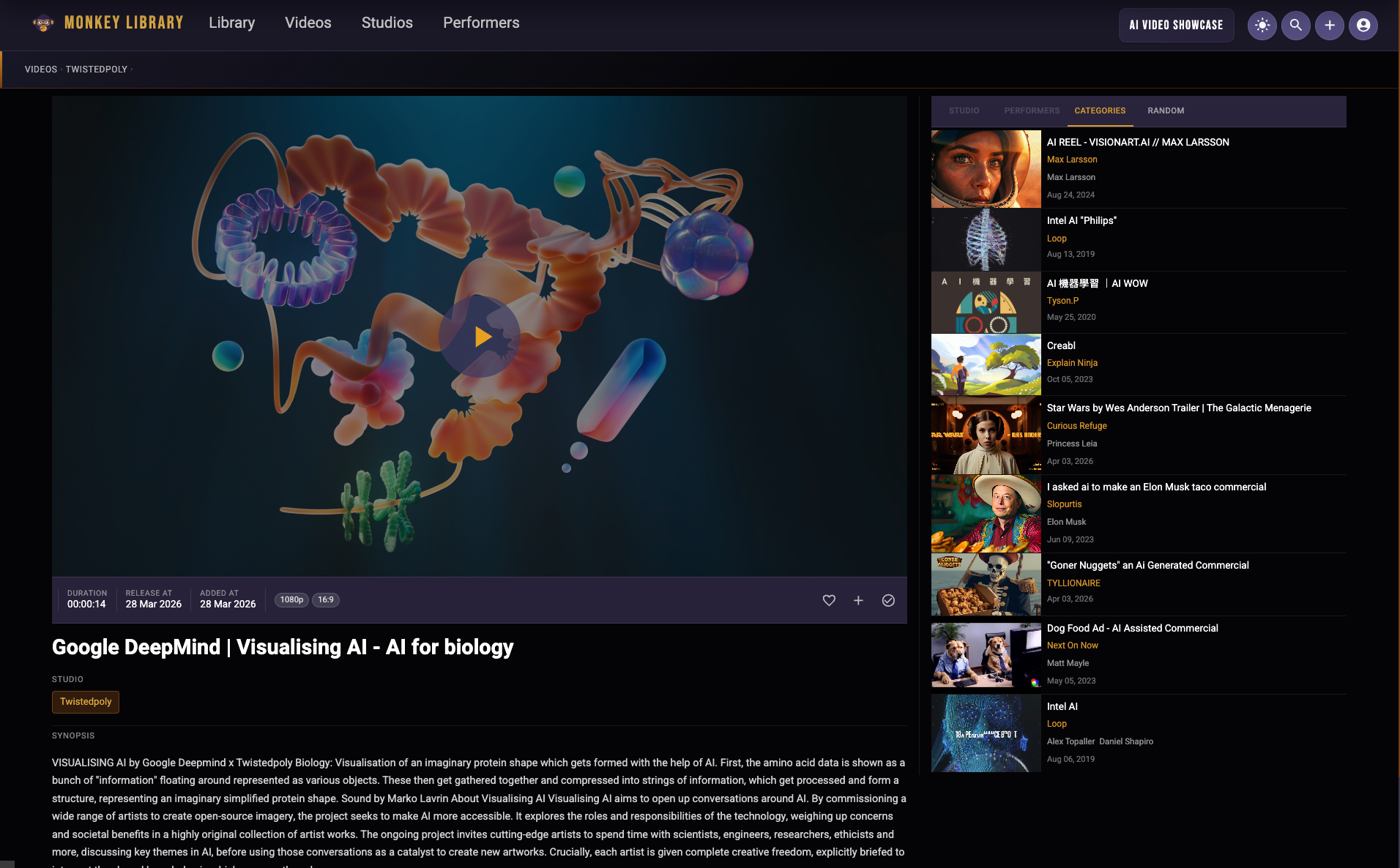
Efficiently manage your videos and photos by creating custom tags, organizing them into personalized albums, and categorizing content to keep your media library structured and accessible.
Features & Capabilities
Monkey Library gives you full control over your media library. From smart organization to advanced search tools, see how our platform can transform the way you work.
Easily navigate your media with thumbnail previews, smooth scrolling, and a clutter-free interface. Whether you have 100 files or 100,000, Monkey Library handles it with ease.
Find the exact video or photo you need in seconds. Search by keyword, date, resolution, tags, or metadata — and refine results with powerful filter combinations.
Automatically or manually organize your files into custom categories, tag important moments, or create project-specific albums. Keep your content organized and ready to go.
Link from anywhere — Paste any video URL from Google Drive, Dropbox, Amazon S3, Bunny.net, or any direct link. Monkey Library organises the metadata. Your storage stays completely private
Pricing & Plans
Paste up to 100 video URLs or embed codes and start organising. No uploads, no storage, no credit card required.
- Up to 100 media links
- 1 Space
- Manual tags & albums
- Basic search & filters
- Link from any public URL or embed code YouTube, Vimeo, Bunny.net, and more
- Web only
Unlimited libraries, full playback, and advanced search — everything you need to manage your complete media library.
- Unlimited media links
- Custom tags, albums & collections
- Advanced search & metadata filters
- Bulk organization tools
- Link from any public URL or embed code YouTube, Vimeo, Bunny.net, S3 and more Google Drive & Dropbox (URL paste)
- Web + mobile app
- Priority support
Everything in Regular, plus powerful video production tools for curators and power users.
- Auto-generate video recaps
- Fetch and sync video thumbnails
- Generate HLS streams for smooth playback
- Basic video trimming and editing
- Dedicated media storage (details coming soon)
- API access
- Dedicated account manager
- Space branding & customization
Prices in USD. Applicable taxes (including GST/QST for Canadian residents) may be added at checkout. Annual plans are billed upfront. Cancel anytime — see our Refund & Cancellation Policy for full details including our 14-day money-back guarantee.
Register Now
Start organizing your media library today
Join Monkey Library and get access to the easiest way to browse, search, and classify your collection.
Frequently Asked Questions
What is Monkey Library, and how does it work?
buttonMonkey Library is a media management platform that helps you organize, browse, and share your content efficiently. Create a space to input detailed information about your media files, such as studio, casting, and tags. Use advanced search options to browse your library by title, synopsis, or assigned tags. Easily share your organized spaces with other users for seamless collaboration.
Add videos by pasting any public URL or embed code from YouTube, Vimeo, Bunny.net, Google Drive, Dropbox, or Amazon S3. No account connections required — your credentials are never shared with us.Can I upload my own videos and photos to Monkey Library?
buttonMonkey Library does not store your media files and does not connect to your storage accounts. Instead, you add videos in two ways: by pasting any public URL, or by adding an embed code from platforms like YouTube, Vimeo, or Bunny.net. Once added, Monkey Library handles the organisation, search, and playback — your files stay exactly where they are, and your storage credentials are never shared with us.
What are "spaces," and how do I create them?
buttonSpaces in Monkey Library are customizable containers used to organize and manage your media files efficiently. They act as dedicated environments where you can classify videos and photos, input metadata such as titles, tags, studios, or cast details, and group related content. Spaces make it easy to organize your media into distinct categories or projects, ensuring everything is well-structured and accessible.
To create a space, simply sign into Monkey Library, click "Create New Space," and name it according to your project or theme. From there, you can begin adding media details and metadata. Spaces can also be shared with other users, making collaboration seamless and efficient.
How does tagging help organize my media?
buttonTagging in Monkey Library is a powerful tool for organizing your media files by assigning descriptive labels or keywords to each item. Tags can represent themes, genres, cast members, studios, or any relevant attribute, making it easier to classify your content.
By using tags, you can group related media and enable faster, more efficient searches. For example, searching for a specific tag like "comedy" or "documentary" instantly filters your library to show only the relevant items. This system not only simplifies navigation but also enhances collaboration, as shared spaces retain their tags for consistent organization. Tagging transforms a cluttered library into an easily searchable and well-structured collection.
Can I share my media or spaces with others?
buttonYes, you can share your media spaces with other registered users on Monkey Library if they have a Regular Plan. When you share a space, users can browse the library, view and play media files, and engage with the content by adding it to their watchlist or liking videos they enjoy. However, they will not have the ability to modify or edit the media files or metadata within the space.
As the space owner, you have full control over access permissions. You can grant or revoke access to your shared spaces at any time, ensuring that your content remains secure and shared only with those you choose.